
How to Automate Client Bookings for Small Business Growth
How to Build an Automated Client Booking System That Runs Without You
You're in the middle of a job — hands dirty, head down, doing the actual work your clients pay you for — when your phone buzzes. Again.

It's another client asking: "Hey, are you available Wednesday afternoon?"
You stop. You check your calendar. You type a reply. Then they counter with Thursday. Back and forth until you've burned 20 minutes booking a one-hour appointment. If you're still running this process manually, building an automated client booking system for small business may be the single highest-return move you make this year.
At Don't Miss Biz, we work with Ontario service businesses every day who are bleeding hours to manual scheduling. Research shows that small business owners spend up to 40% of their workweek on administrative duties — that's nearly two full days each week trapped in scheduling emails, chasing confirmations, and managing a calendar that was never designed to protect your time.
In this guide, we'll walk you through exactly how to build an automated booking system from scratch, what it needs to include, and how to make sure it truly runs without you — 24 hours a day, 7 days a week.
Table of Contents
The Real Cost of Manual Booking for Ontario Service Businesses
5 Automated Booking Mistakes Ontario Service Businesses Make
The Real Cost of Manual Booking for Ontario Service Businesses
Most business owners underestimate what manual scheduling costs them.

When you're interrupted by booking messages throughout your day, you're operating at roughly 50% cognitive capacity. You are the visionary of your company — yet you're spending your highest-value hours doing $15/hour work.
The solution isn't hiring someone to manage your calendar. The solution is building a system that manages itself.
→ See also: How to Automate Follow-Ups So No Lead Falls Through the Cracks (Coming soon)
What Is an Automated Client Booking System, Really?
An automated client booking system is a digital tool that lets clients see your real-time availability, choose a time slot, complete intake information, pay a deposit, and receive a confirmation — without any involvement from you. The system automatically handles confirmations, reminders, cancellations, and updates.

Done well, it's not just a calendar link. It's a complete, self-running client journey.
A well-built automated booking system handles:
Real-time availability — clients only see slots you've approved
Intake forms — everything you need collected before the appointment
Automatic confirmations — fired instantly at the moment of booking
Reminder sequences — reducing no-shows before they happen
Follow-up messages — keeping clients engaged after the appointment
Payment collection — deposits or full payment at time of booking
That last point changes everything. When clients pay at booking, no-show rates drop dramatically. Skin in the game changes behaviour — and for Ontario service businesses where a missed appointment means lost drive time, wasted materials, and a lost revenue slot, that matters enormously.
The 5-Layer Booking Stack: A Framework That Truly Runs Without You
Here's the framework Don't Miss Biz uses when building automated client booking systems for Ontario service businesses. We call it the 5-Layer Booking Stack — and every layer has to be in place for the system to run without you.
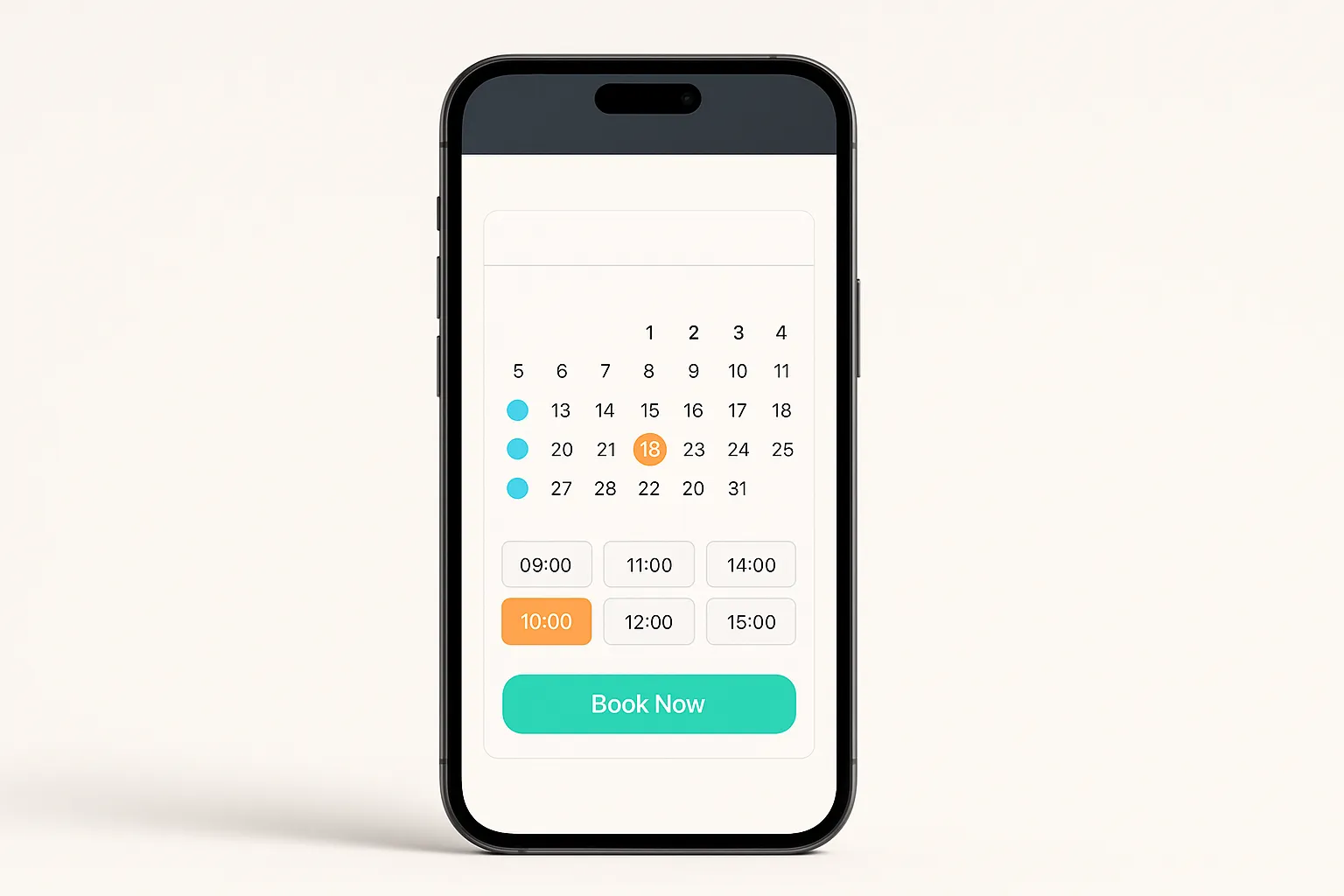
Layer 1: The Front Door — Your Booking Page
This is where clients arrive. It needs to be clean, fast, and trust-building:
A clear description of what they're booking
Social proof — reviews, credentials, photos of your work
A simple, frictionless calendar embed
Goal: Get a client from "interested" to "confirmed" in under 2 minutes.
Local SEO note: 60% of global web traffic comes from mobile — and Ontario clients searching for local services want to book now. A slow-loading booking page on mobile costs you clients before they've even started. Local SEO can significantly boost your online presence and attract more customers.
Layer 2: The Intake Engine — Smart Forms
Once a client picks a time, route them directly into a short intake process. Collect everything you need before showing up — no follow-up calls required:
Contact info and preferred communication method
Service details, scope, or property address
Photos — critical for trades businesses, inspections, or estimates
Service-specific questions
Consent and agreement checkboxes
Clients fill this out while their motivation is highest — right after committing to a time slot.

Layer 3: The Confirmation Chain — Automated Confirmations
The moment a booking is confirmed, trigger all three:
Booking confirmation email — appointment details, location, what to expect
Confirmation SMS — short, friendly, with a cancel/reschedule option
Calendar invite — drops directly into their digital calendar
This three-part confirmation makes your business look professionally run and anchors the appointment firmly in the client's mind.

Layer 4: The Reminder Sequence — No-Show Prevention
Missed appointments cost you revenue, time, materials, and mental energy.
Use this proven sequence:
72 hours before: Reminder email with appointment details and preparation instructions
24 hours before: SMS — "Reply YES to confirm or call us to reschedule"
2 hours before: Final SMS nudge — especially valuable for same-day bookings
When clients confirm, the system updates automatically. No manual check-in required.

Layer 5: The Follow-Up Flow — Retention and Reviews
Within 24 hours of a completed appointment, your system automatically:
Sends a personalized thank-you message
Requests a Google review with a direct link
Offers a next-booking prompt or relevant upsell
Adds the client to a long-term nurture sequence
This is where your automated client booking system becomes a full client retention engine. Ontario service businesses that master Layer 5 generate consistent repeat revenue — without ever asking for it manually.

Step-by-Step: How to Build Your Automated Booking System This Weekend
Map Your Availability
Decide exactly when you want to take bookings. Block off deep-work time, family time, and travel buffers. Your calendar should protect you — not just fill you up.
Choose and Configure Your Booking Platform
Look for a platform that integrates payments, CRM tools, and automated reminders in one place. Sync it to Google Calendar or Outlook to prevent double bookings.
Build Your Intake Form
Write down every question you currently ask clients over the phone. Transfer it all into your intake form. Stop playing phone tag — start arriving at every job fully prepared.
Write Your Confirmation and Reminder Message
Keep every message short, warm, and in your voice. Clients will think you're exceptionally organized. They don't need to know it's automated.
Set Up Your Post-Appointment Follow-Up Sequence
Schedule your thank-you, review request, and rebooking offer to fire automatically after every completed appointment. Most Ontario service businesses skip this step — that is a compounding revenue loss.
Place Your Booking Link Everywhere
Website header and footer, Google Business Profile, Instagram, Facebook, and LinkedIn bios, email signature, invoices and receipts. The easier it is to book you, the more bookings you'll get. Eliminate every barrier between "interested" and "confirmed."

→ See also: The Small Business Owner's Guide to Local SEO in 2026 (Coming soon)
5 Automated Booking Mistakes Ontario Service Businesses Make
Mistake 1: Using a calendar link with no automation
A shared link is better than nothing — but it's not a system. If your tool doesn't send reminders, collect intake, and trigger follow-up, you're leaving revenue on the table every week.
Mistake 2: Too many steps in the booking flow
Forced account creation, long forms, multi-step checkout — each one kills your completion rate. Keep the entire booking flow under five steps.
Mistake 3: No payment collected at booking
No deposit = no accountability. Even a modest deposit dramatically increases show rates.
Mistake 4: Setting it and forgetting it
Check your data monthly. Which slots fill fastest? Where are clients dropping off? Use the data to keep improving.
Mistake 5: Booking disconnected from your CRM
Every new booking is a new lead. If it doesn't feed into your contact database and nurture sequences, you're capturing the appointment — but losing the relationship.
Automated Client Booking System FAQs
How long does it take to set up an automated client booking system?
Most Ontario service businesses can have a basic system running in a few hours. A fully connected system — intake forms, reminders, follow-ups, and CRM integration — takes a focused weekend to build properly.
Do I need to be tech-savvy?
Not at all. Most modern platforms let you customize a booking page — logo, colors, standalone booking site — without any technical skills. If you can send an email, you can build this.
Will it feel impersonal to my clients?
Only if your messages sound robotic. Write them in your own voice. Clients will simply think you're organized and attentive — they don't need to know it's automated.
What if clients prefer to call?
Keep taking calls. Your automated system runs in parallel — capturing every client who would have booked online if the option existed. That's revenue you were previously missing.
Can I use this for multiple services or staff?
Yes. Most platforms support multiple service types, durations, intake forms per service, and multi-staff calendar management — all in one system.
What's the biggest mistake when setting up a booking system?
Not connecting it to your CRM. Your booking system should automatically add every new client to your database and trigger a long-term nurture sequence. Without it, you're capturing transactions — not relationships.
The Bottom Line: Your Calendar Should Work for You, Not Against You
If you're still managing your booking process manually — fielding DMs at 9pm, sending reminder texts one by one, chasing confirmations on your lunch break — you're not running a business. You're running a scheduling service that also happens to do the actual work.

An automated client booking system for small business isn't a luxury. For Ontario service business owners who want to grow without burning out, it's the foundation that every other growth system gets built on.
Build it once. Let it run. Get your time back.
At Don't Miss Biz, we help Ontario service businesses build smart, automated growth systems — from booking and follow-up to full SEO and lead generation. If you're ready to stop managing your calendar by hand, let's build yours together.
Sources:
Explore more on our site: Cost of Manual Booking | Booking Stack Framework | Common Booking Mistakes | Booking System FAQs